One place for everything you write
Write blogs, novels, and more with tools built for every type of writing, without switching between apps
You don't write one way.
So why use one tool?
Different kinds of writing need different tools. Scribeist gives each craft its own workspace, then connects them all.

The Novelist
Drafting a book. Juggling characters, chapters, and continuity.

The Blogger
Publishing weekly. Needs SEO, structure, and direct export.

The Essay Writer
Crafting arguments and long reads that take time to get right.

The Note-Taker
Capturing ideas and building a second brain.
Every kind of writing. One home.
Each workspace has its own shape — tools, layout, and rhythm built for how that kind of writing actually moves.
Keep your world consistent.
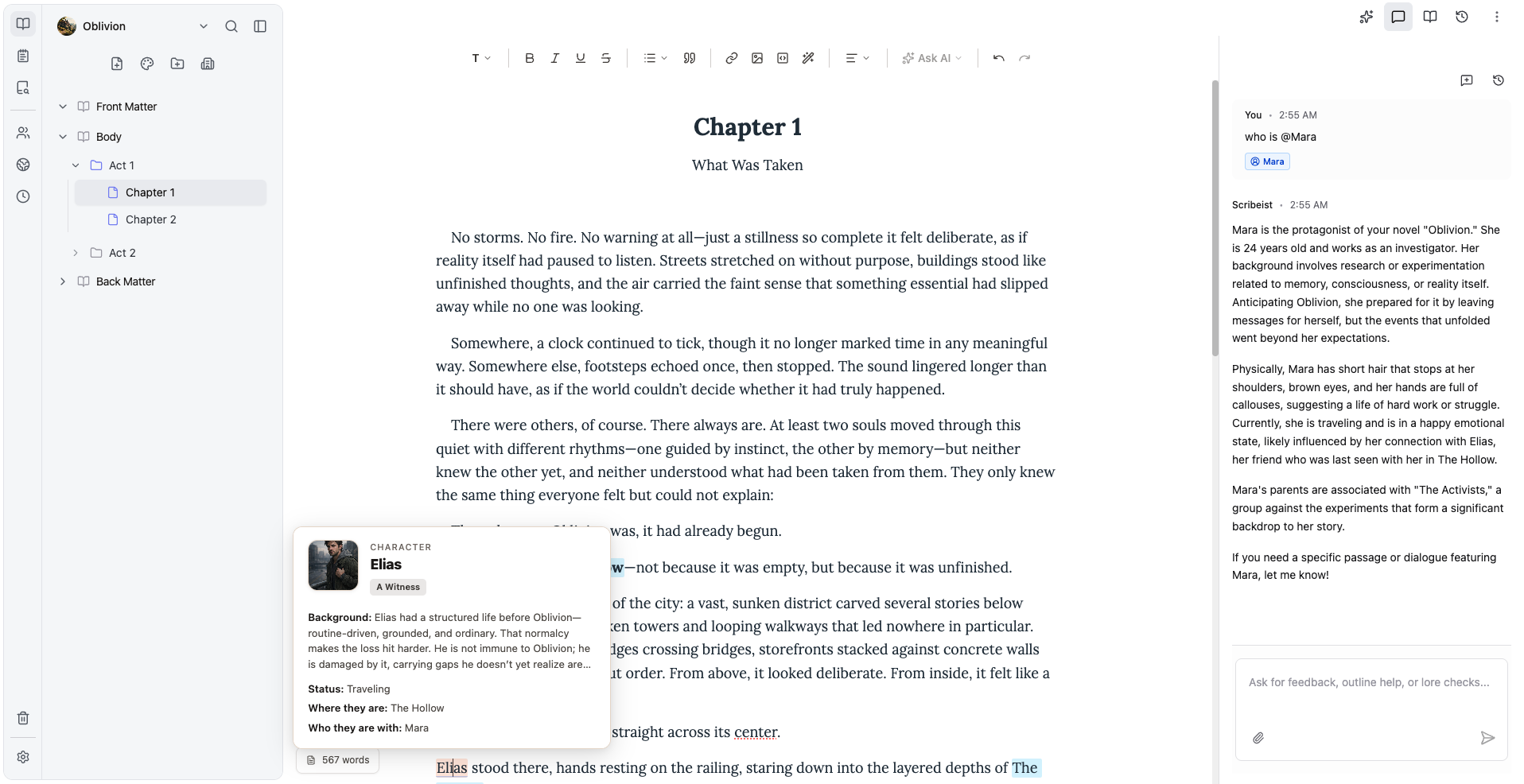
Mythos links characters, places, and lore to your prose. Hover a name, see the whole world.
Learn more about MythosPlanning sheets+
Outline, plot boards, and chapter cards — or skip them entirely. The editor works either way.
Outline, plot boards, and chapter cards — or skip them entirely. The editor works either way.
AI that knows your story+
Ask about characters, plot holes, or what happened in chapter 7. It has read everything.
Ask about characters, plot holes, or what happened in chapter 7. It has read everything.
Timelines+
Map character arcs, pacing, and chapter lengths visually to ensure perfect continuity.
Map character arcs, pacing, and chapter lengths visually to ensure perfect continuity.

"Someone's been here," he said quietly. "Recently."
He crouched beside the reading chair and pressed two fingers to the seat cushion. Still warm.
Navigating the noise is the hardest part. To truly stand out, you need to understand how algorithm changes impact your Keywordcontent distribution strategy and adjust accordingly.
From idea to published.
Draft, optimize, and publish without leaving your flow. SEO and readability built in — not bolted on.
See more on blog workspaceSEO formatting+
Build headers, meta descriptions, and link structures — every publish-ready detail in one place.
Build headers, meta descriptions, and link structures — every publish-ready detail in one place.
Instant publishing+
Send drafts directly to WordPress, Ghost and HubSpot — one click from the editor.
Send drafts directly to WordPress, Ghost and HubSpot — one click from the editor.
Site SEO board+
Crawl your entire site, map internal links, find topic clusters, and fix SEO health issues — all from the workspace.
Crawl your entire site, map internal links, find topic clusters, and fix SEO health issues — all from the workspace.

We value human creativity
But when you need a second set of eyes, Scribeist AI helps refine text, uncover plot holes, and critique your writing.


Integrated with your
favourite tools
Scribeist connects to the platforms you already use — so publishing, backing up, and collaborating never requires a second app.

Ghost
Publish directly to your Ghost publication.
WordPress
Push posts straight to your WordPress site.
Google Drive
Export and back up your work to Drive.

Notion
Import and export docs to your Notion workspace.

Dev.to
Cross-post articles to the Dev.to community.

Hashnode
Publish to your Hashnode blog in one click.

Beehiiv
Deliver newsletters via your Beehiiv account.

HubSpot
Sync content with your HubSpot CMS.

Micro.blog
Share short posts to your Micro.blog feed.
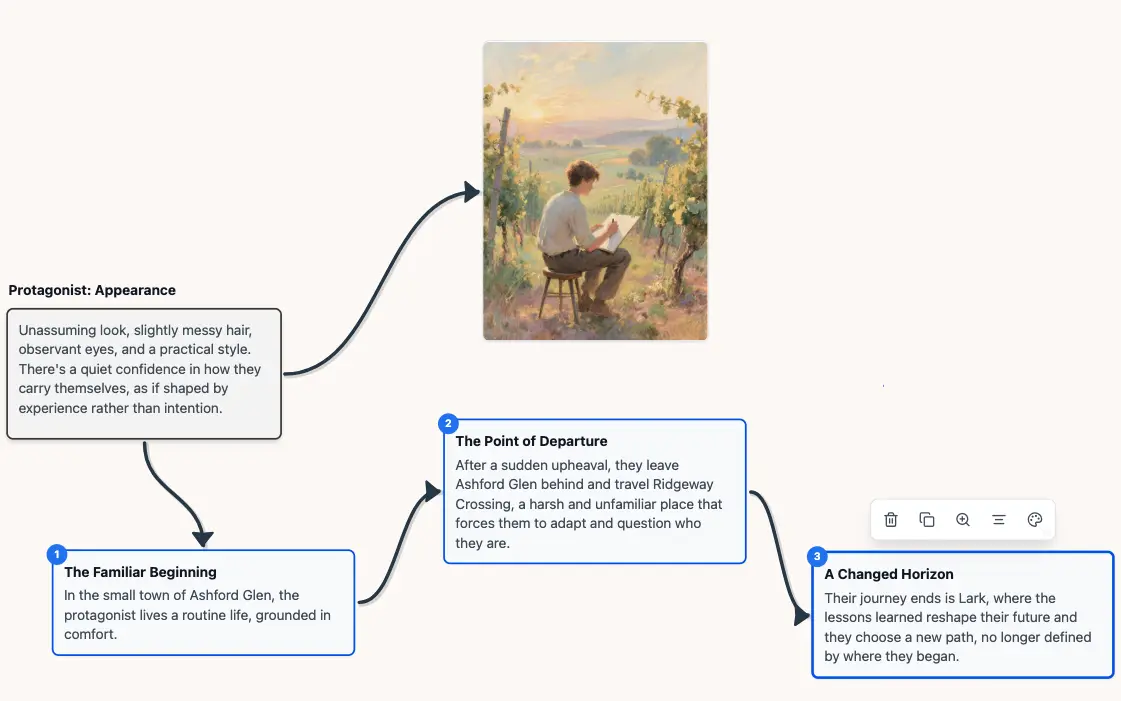
When ideas branch out
Use Canvas to visually plan your ideas
Move beyond linear docs when you need to connect themes, scenes, and research. Canvas gives you a clear visual map of how everything fits together.

Loved by writers
See what writers are saying about how Scribeist is changing their workflow.
"It feels less like 'AI writing for you' and more like AI helping you think and organize better which is honestly what I need most. It already feels useful for speeding up the messy first draft phase."
Frequently asked
Still have questions? [email protected]
Is Scribeist free to try?
What does 'remembers everything I write' mean?
How do credits work?
Can I export my work?
Is my writing used to train models?
What's the difference between Free and Pro?